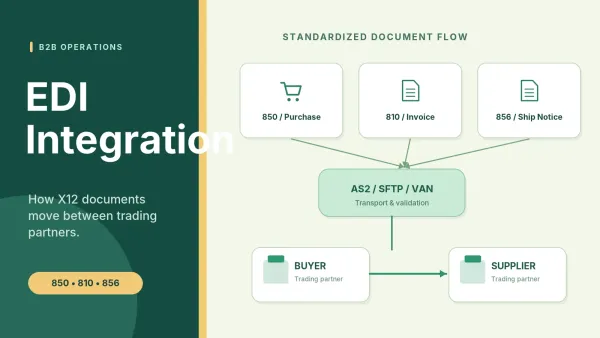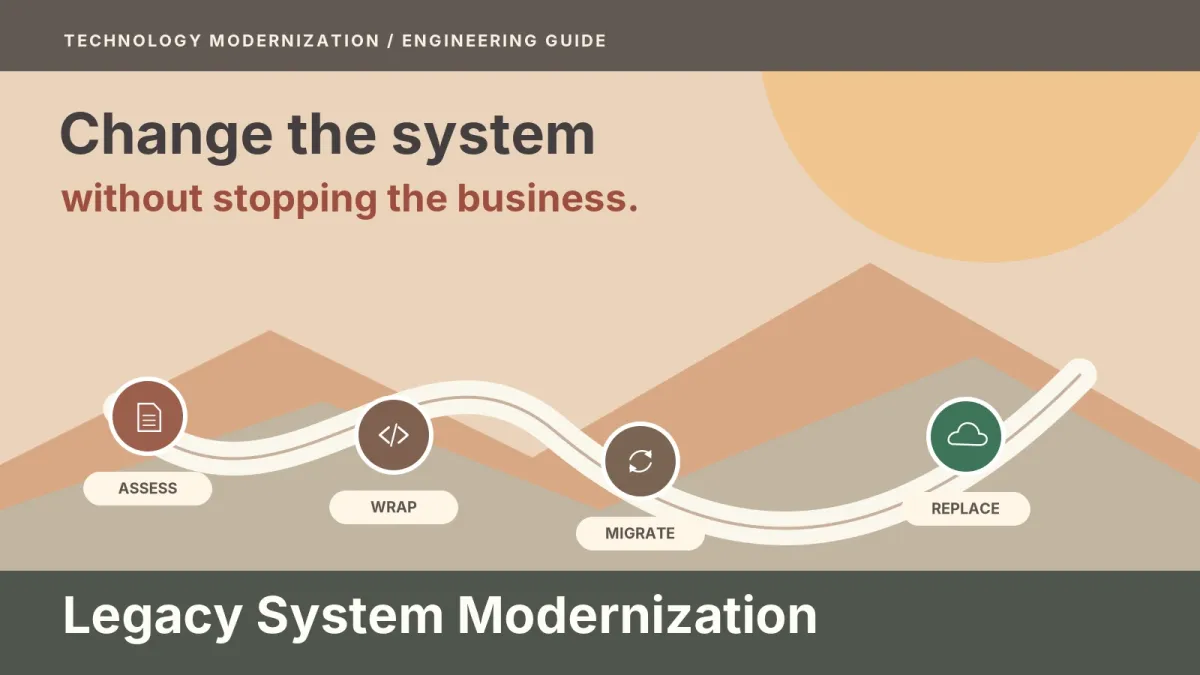

Maybe it's a Java or .NET monolith, a heavily customized ERP add-on, or a desktop tool built around a single database. It still does its job and the business still depends on it, but every change to it has become slow, careful work that only one or two people will sign off on. You don't need convincing that it's a problem. What you need is a plan for legacy system modernization: what to do with each part of the application, and how to move off the old code without betting the business on one weekend cutover.
Picking a strategy is the easier half. The harder half is the move itself, when old and new code share live traffic for months, a slice of data changes hands without anyone losing an order, and somebody has to decide it's safe to switch the old piece off. This guide covers both, and it ties each step to what Martin Fowler, Microsoft and AWS have published on the subject.
What is legacy system modernization?
Legacy system modernization is the replacement or rework of the parts of an older application that have become too risky, too costly or too insecure to keep changing, while the behavior the business still relies on is carried over. It usually happens one capability at a time, with old and new code running side by side, instead of in one rewrite.
You'll also see it called legacy application modernization or legacy software modernization. Whatever the name, it covers several different moves, from leaving a module alone to writing it again.
Why do big-bang rewrites fail so often?
They take years, the business can't stand still while they happen, and nobody can write down everything the old system really does. Martin Fowler has watched teams try the plan of building a replacement and switching over in one go, and in his Strangler Fig article he says "we've seen this simple-sounding plan go down in flames most of the time."
The time problem reaches the product roadmap first. AWS's strangler fig guidance says a big-bang migration "introduces transformation risk and business disruption." It also points out that while the application is being refactored, "it is extremely hard or even impossible to add new features." So a rewrite that runs long freezes the product as well, and the pressure to cut scope tends to arrive just when the new system is least ready for it.
The specification problem is the one teams notice last. Years of fixes live in the old code as behavior nobody wrote down: a rounding rule, a status code that one customer's integration still reads, a report finance reconciles every month. A rewrite that sets out to match the old system feature for feature walks into what Ian Cartwright, Rob Horn and James Lewis call the feature parity trap, and they write that "people greatly underestimate the effort required."
That doesn't make a rewrite wrong every time. It makes gradual replacement the sensible default, and the cases for a full rebuild narrower than they first look (we cover them near the end).
What are the options for each part of the system?
Decide part by part. A billing module, a reporting layer and a customer portal inside one application can each need a different answer, and when they're treated as one decision the hardest part ends up setting the plan for all of them.
| Option | What changes | Main risk | When it fits |
|---|---|---|---|
| Keep (retain and contain) | Nothing in the code; tighter access, monitoring and a named owner | The underlying risk stays where it is | "Workload is stable, compliant, and meets business needs" (Microsoft CAF, Retain) |
| Wrap | An API or anti-corruption layer goes in front; the old code stays untouched | An extra service and added latency; it can't fix a runtime that no longer gets patches | The old logic is sound, but new tools can't talk to it |
| Refactor | The code is restructured in place and its behavior is kept | Undocumented behavior breaks if there are no tests around it | "Reduce technical debt", "Decrease cost of maintenance" (Microsoft CAF, Refactor) |
| Replatform | The runtime or platform changes, with few code changes | Platform quirks and licensing | "minimal code changes" (Microsoft CAF, Replatform); AWS notes you "might make a few or many changes" (AWS, Replatform) |
| Replace with a product | A SaaS or vendor product takes over the job | Custom rules get lost; data migration; lock-in | "Little need for customization" (Microsoft CAF, Replace); "Replacing a custom application" (AWS, Repurchase) |
| Rebuild | A new system is written, usually piece by piece | The feature parity trap and a long timeline | "Legacy system is too outdated or inflexible" (Microsoft CAF, Rebuild) |
The "when it fits" wording comes from Microsoft's Cloud Adoption Framework and AWS's migration guidance. Both were written for cloud moves, but their indicators describe the code decision well, which is why we borrow them here. Microsoft ties the Refactor row directly to reducing technical debt.
You'll also see rehost and relocate on those cloud lists. They're missing from the table on purpose, because they change where the application runs and leave its code as it was. That belongs in a cloud migration plan, which is the part of a program our cloud and DevOps team designs, with its own sequence and decision points.
Replacing a part with a product deserves a real look whenever that part isn't where you differ from competitors. Our guide on when custom software makes sense covers that trade-off in more depth.
What is the strangler fig pattern?
The strangler fig pattern is a way to modernize a legacy system gradually. A facade sits in front of the old application and sends each request either to the legacy code or to a new service. As more features move to the new services, the old system shrinks until nothing depends on it, and then it can be switched off.
The name is Fowler's. He saw strangler figs in the rain forests of Queensland in 2001. The fig feeds on its host tree until its roots reach the ground and its leaves reach the canopy, and from then on it can sustain itself while the host may die, leaving the fig in the host's shape. New code does the same to an old system: it draws on the legacy code until it can run without it. His first article was titled "Strangler Application", and he later renamed it "Strangler Fig Application" to make the metaphor plainer. In his telling, the new code begins as small additions, often new features, built on top of the legacy code base but kept separate from it, and behavior moves across in pieces after that.
Microsoft's Strangler Fig pattern page describes the facade's job over time, and it falls into four stages:
- At the start, "the façade routes most requests to the legacy system."
- As each piece of functionality is replaced, the facade shifts more of the traffic to the new system.
- When the migration is complete, the legacy system is decommissioned.
- The facade is then usually removed. Microsoft notes you can also keep it "as an adapter for legacy clients", which helps when an old partner integration still calls the original endpoints and can't be changed on your schedule.
Cartwright, Horn and Lewis collect the supporting techniques in Patterns of Legacy Displacement, which is worth reading once the basic shape is clear.
How does the old system keep working while the new one grows?
Through transitional architecture: code you build so the two systems can share the work, knowing you'll delete it later. Cartwright, Horn and Lewis define transitional architecture as "Software elements installed to ease the displacement of a legacy system that we intend to remove when the displacement is complete."
In most programs it has three pieces. The facade (or proxy) decides where each request goes. AWS warns that "this proxy layer can become a single point of failure or a performance bottleneck", so it needs the same redundancy and monitoring as anything else in the request path. An anti-corruption layer sits between old and new code when they don't share the same meaning for the same data. A typical case is an old system that packs a customer's status into one code, where the new service models it as separate fields. Microsoft is clear that this layer "adds latency to calls between the two systems" and is one more service you have to run. The third piece keeps shared data in step, and the data section below covers it.
Won't running two systems cost more? Yes, for as long as both are running. Fowler notes that people often balk at building code that will be thrown away, and he argues the lower risk and earlier value of the gradual approach outweigh that cost. Microsoft puts it the same way: weigh the risk you avoid against temporary infrastructure costs. What keeps the cost temporary is treating every piece of transitional code as something with a removal date.
What if you can't change the old code at all? AWS's position is strict: "You cannot intercept calls without code base access." Microsoft's is wider. When an application is database-centric, with its logic in stored procedures, "the database itself can send messages to new services without changing the application code," and change data capture can read the transaction log instead. So the useful question isn't whether you can edit the code but whether the system has any integration point you can change. When the blocker is an old interface such as SOAP, EDI or file transfers, our API integration work favors a stable wrapper in front of the legacy system wherever that's feasible. New systems then integrate against a contract that stays put when the legacy code behind it changes.
How do you modernize a legacy system step by step?
Start from the outcome you want, pin down how the old code behaves now, and then move one slice at a time behind the facade, switching off each old piece only when nothing depends on it. Cartwright, Horn and Lewis describe the work as four activities, and they add: "The ordering here does not imply a sequence." The steps below are an order that tends to work, and you'll loop back through several of them.
- Agree the outcomes. The first of the four activities is "Understand the outcomes you want to achieve." That might be faster releases on pricing, a supported runtime or an integration the old system can't offer. The outcome decides which slice goes first.
- Map what the system does today. List its users, its integrations (including the ones nobody documented), who owns each data set and the business rules that live only in code or stored procedures.
- Record current behavior in characterization tests. A characterization test pins down what the code does now, right or wrong, so a change that alters behavior fails a test instead of reaching a customer. We write these before changing anything, because they're the only specification many legacy systems have.
- Find the seams and choose the first slice. A seam is a place where you can split the system without rewriting what's on either side, such as an API call, a message or a database boundary. AWS says code with "no or few dependencies" makes a good candidate. We'd add that the first slice should also exercise the facade and the data path, because a slice that touches neither teaches you little about the next ten.
- Put the facade in front and route that slice's traffic. Send a small group of users or one function through the new path first, and widen it as the numbers you watch stay healthy.
- Move the slice's data. This gets its own section below, since it's where most of the risk sits.
- Release, watch and keep a rollback path. With a facade in place, rolling back is a routing change. Keep the old path ready until the new one has run through a full business cycle, including month-end or whatever period your finance team closes on.
- Repeat, and switch off on evidence. An old module goes only when the facade logs show no traffic to it and no batch job, report or partner feed still reads its data.
Our legacy application modernization services start the same way, with a map of what's there and characterization tests before any code moves. From there we create a seam, move one capability at a time, and switch the legacy stack off only after it's been shown that no user, job or integration still calls it.
How do you migrate data without downtime?
A data migration strategy for an application's own data comes down to one rule: move one domain's data at a time, and keep the old and new copies in step until the new one is proven. Microsoft's strangler fig guidance splits this into three phases for each domain.
In the first phase the new service runs against the old database, so the code moves before the data does. In the second, the domain's tables and their history are loaded into the new database with an ETL process, and a change data capture (CDC) process keeps it in sync while the old system goes on writing. Microsoft's instruction for this phase is short: "Validate consistency between both databases before cutover." In the third phase the new database becomes the system of record for that domain, and only after that are the old tables removed.
The order matters because of rollback. Microsoft says you can roll back to the old database during the second phase and at the start of the third. It also tells teams to treat removing legacy objects "as a deliberate final step for each domain." Once those tables are gone, going back means a restore project instead of a routing change. If parts of the legacy system still read that data after cutover, you'll also need a sync in the other direction, or a facade over the new service, until those readers have moved.
AWS describes a lighter option, a queue and a sync agent that keep the old database up to date from the new data store. It also says this "can cause data redundancy and eventual consistency between two data stores" and should be treated as a tactical solution.
How do you check the migrated data?
Compare the two copies at several levels before the new one becomes the system of record, and have someone from the business sign off on the result. These are the checks we'd expect to see before a cutover, drawn from common practice:
- Row counts per table, and per key range or date range, so a gap shows where it is.
- A row-by-row or field-level comparison for the domain that moved. AWS's DMS data validation, for example, "compares each row in the source with its corresponding row at the target" and reports mismatches.
- Totals the business already recognizes, such as account balances, open orders or stock on hand, calculated in both systems.
- Business-rule spot checks: run the same cases through both systems, like an invoice for a customer with a negotiated discount, and compare the results.
- Sync lag close to zero and the CDC error queue empty in the period before cutover.
- Sign-off from a named data owner, not only from the engineers who wrote the migration.
- A rollback that someone has actually run against a copy of the data before the real cutover.
This is about operational data, the records an application owns. Migrating an analytics warehouse is a different job with its own reconciliation steps.
When is a full rebuild the right call?
When the system is small, or when there's no way to intercept requests or change any part of it. Microsoft lists the cases where the strangler fig pattern "might not be suitable":
- Requests to the back-end system can't be intercepted.
- You can't access the legacy system's source code, and it has no other integration point you can change, such as its database.
- The system is small and replacing all of it is simple.
AWS agrees on size: "For small applications, where the complexity of complete refactoring is low, it might be more efficient to rewrite the application in microservices architecture instead of migrating it." And Microsoft's Cloud Adoption Framework lists the case where the "Legacy system is too outdated or inflexible" to be worth reworking.
If you do rebuild, don't let the rebuild become a copy. Go through the old system's features and decide which ones the business still uses, because every feature you carry over unexamined adds to the parity work. Cartwright, Horn and Lewis are blunt about full parity: "It is not an easy path, nor one to be taken lightly." A rebuild can still ship in pieces behind a facade, which keeps most of the risk benefits even when almost none of the old code survives.
Where does Vortex use these pieces?
Vortex offers this phased approach for property platforms: we modernize the platform in phases, and current customers keep working while each module moves over.
Two of the building blocks above also appear in other Vortex work, though neither project was a modernization. In a configurable identity and access platform built for a private client, "Gateways handle the proxy and legacy interfaces." A warehouse data integration, also for a private client, follows a rule that carries straight over to migration checks: "A count only reaches the state stage after the destination has flushed". Counts taken while writes are still in flight will disagree for reasons that have nothing to do with the data.
FAQ
How long does legacy system modernization take?
There's no honest single figure, because it depends on how many slices the system splits into, how tangled the data is and how many integrations call it. The gradual approach does change when value arrives, though. The first slice can go live long before the last one, so it's better to plan and fund the work slice by slice than as one long project.
Is the strangler fig pattern only for microservices?
No. AWS presents it as a route from a monolith to microservices, but Microsoft describes replacing functionality "with new applications and services," and Fowler writes simply of a new code base. The target can be a well-structured modular application, a set of services or a bought product, as long as a facade can route requests to it.
Can we modernize without touching the old code?
Sometimes. A wrapper or anti-corruption layer can sit in front without changing the old code. Cartwright, Horn and Lewis also describe a Legacy Mimic, where the "New system interacts with legacy system in such a way that the old system is not aware of any changes." Bear in mind that a wrapped system still runs on its old runtime, so an unpatched platform stays a risk.
What is the difference between refactoring and rebuilding?
Refactoring changes the structure of the existing code while its behavior stays the same, and tests prove that it did. Rebuilding writes new code to a new design, so behavior has to be specified again. For large changes inside one code base, Fowler's branch by abstraction is a way to replace a component while you keep releasing.
Do we have to move to the cloud to modernize?
No. Where the system runs and how its code is built are separate decisions, and you can make either one first. AWS's large-migration guidance even says "Refactor is not recommended for large migrations because it involves modernizing the application during the migration." Plan the hosting move and the code rework as separate projects, each with its own sequence.
Planning the move off an old system
If you're weighing what to do with an application nobody wants to touch, a discovery call is a sensible first step. We'll go through how the system is used now, where the seams are and which part could move first.
Buttons: "Book a Technical Discovery Call" → /contact · "Get a Project Estimate" → /project-estimate